Available

LG
Smart TVs with webOS
How to installMADE FOR THE BIG SCREEN
Live TV, movies and series in an experience made for you. Discover Warrior TV.

YOUR DEVICE. YOUR CHOICE.
Choose your platform and see how to
get started with Warrior TV.
Smart TVs with webOS
How to install
Android TV televisions and devices
How to install
Roku TVs and Roku devices
How to install
Smart TVs with Tizen
Availability may vary by TV model, region and operating system version.
LESS SEARCHING. MORE WATCHING.
A visual, organized interface designed
for navigation with your remote.
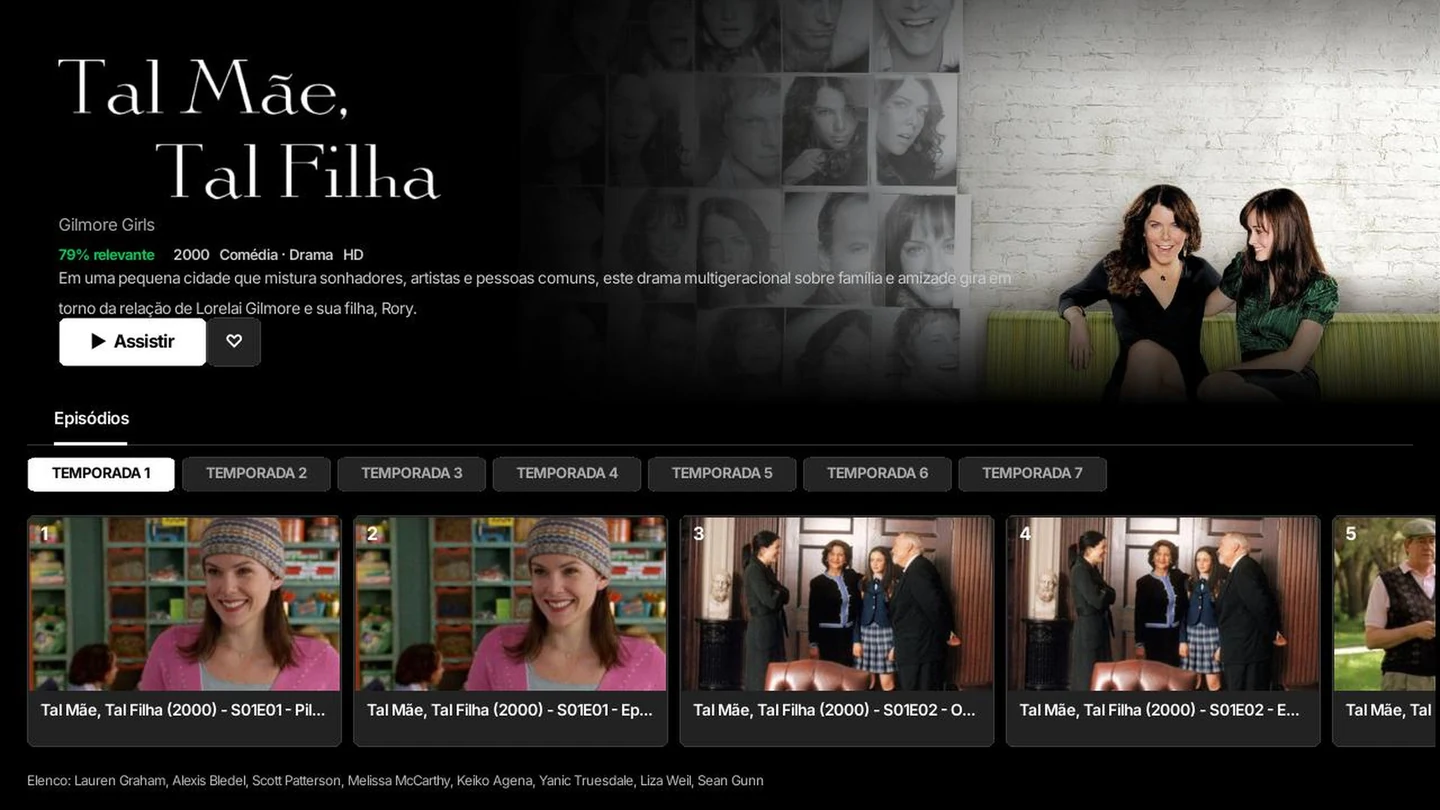 ACTUAL APP SCREEN
Explore seasons and episodes without losing track of the series.
Synopsis, cast and content information on the details screen.
Playback, favorites and navigation designed for your TV screen.
FROM THE SOFA TO PLAY
Find Warrior TV on your platform and sign in with your account details.
Search for the app name on your TV.
BEFORE YOUR FIRST PLAY
The app is available for LG, Android TV and Roku. The Samsung version is in preparation and will be announced here. Compatibility depends on the device model and operating system.
Warrior TV is a player. To access your account content, sign in with the details provided by your provider. The catalog and access authorization depend on that account.
Open your TV app store or app search and look for “Warrior TV”. See the LG, Android TV and Roku instructions under How to install.
The Samsung version is in preparation. No release date has been announced yet. This page will be updated when there is news.
Audio and subtitle options depend on the tracks included in each video and the formats supported by your device.
WARRIOR TV